Features That Make Printing Simple
NJ Cloud Printer comes packed with tools to make printing from your mobile device to any desktop printer seamless and hassle-free.
Key Features
Discover what makes NJ Cloud Printer the perfect solution for all your printing needs.
Quick Connection
Simply scan the QR code displayed on your desktop with your mobile device to establish a secure connection. No complex setup or pairing required.
- Instant connection between devices
- Customers can print via QR code — no app download needed
- Secure one-time connection establishment
Print Request
A new print request has been received:
Instant Notifications
Receive real-time notifications on your desktop when print requests are received from your mobile device, ensuring you never miss a print job.
- Real-time desktop notifications
- Print queue management with history
- Live status updates on print jobs
Multi-Format Support
Print a wide variety of document formats with perfect quality. NJ Cloud Printer supports PDFs, images, and more ensuring your documents look exactly as intended.
- PDF printing with full formatting preservation
- High-quality Image printing (PNG, JPG, WEBP)
- Smart scaling and orientation handling
All Features
Everything you need for a complete cloud printing experience
QR Connection
Connect devices quickly and securely via QR code scanning.
Instant Notifications
Get notified instantly when a print request is received on your desktop.
Multiple Formats
Print PDFs, images, and documents without any quality loss.
Secure & Private
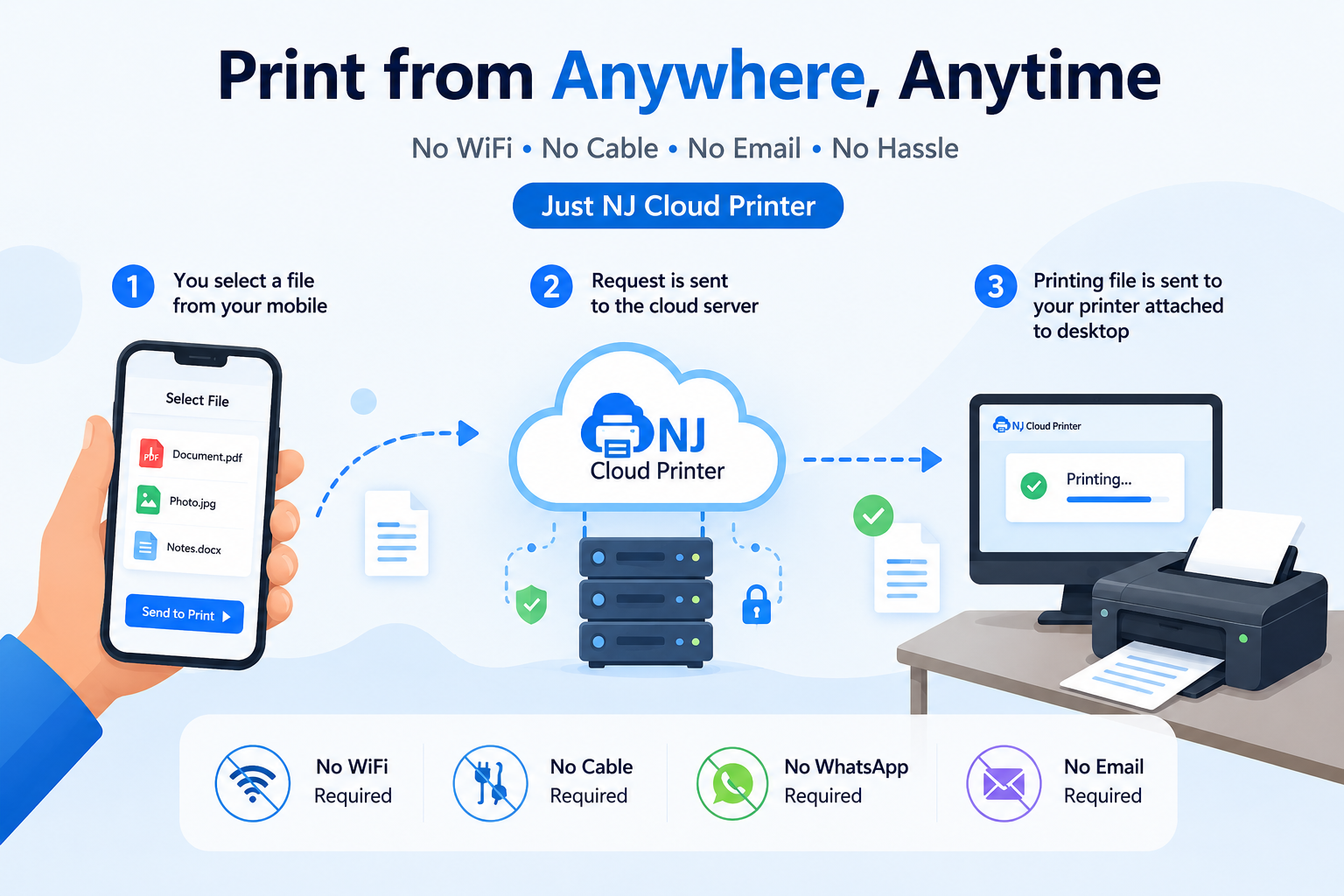
Files are encrypted in transit over HTTPS and held in our cloud storage only until your desktop app downloads them to print. They are deleted as soon as the job prints, and purged automatically if they are never collected.
Print From Anywhere
Jobs travel over the internet rather than the local network, so distance is not the limit — print from the next room or another city.
Seamless Integration
Works with multiple devices and printers without complex driver setup.
Advanced Settings
Control paper size, quality, orientation and other print settings easily.
Mobile Friendly
Optimized for Android with an intuitive and modern mobile interface.
Printer Management
Handle multiple printers from a single unified dashboard.
Experience NJ Cloud Printer Today
Available for Android, Windows, and Linux. Start printing effortlessly.
Ready to Start?
Install NJ Cloud Printer on your Windows PC — that's the only setup there is. Nothing to install on the phone — scan the QR code and print.
By downloading, you agree to our Terms of Service and Privacy Policy.